Elektronische Messkluppe MKE4
GERMAN: Die perfekte Synergie aus Soft- und Hardware
Das abgestimmte Gesamtsystem aus unserer hochwertigen Messkluppe und der leistungsfähigen App „Global Log Management“. Die aufgenommenen Messdaten werden automatisch per Bluetooth auf unserer App Global Log Management dargestellt. Die Konfiguration der Tastenbelegung auf der Messkluppe MKE4 wird ebenfalls über die App gesteuert. Weiteres wird das Datum, die Uhrzeit und die GPS-Daten der Erfassung automatisch gespeichert. Letzteres ermöglich auch die Kartendarstellung des vermessenen Holzes. Zusätzlich können auch Stamm- und Polterfotos hinterlegt werden. Die Ausgabe der Daten kann in Excel oder in PDF inklusive Share-Funktion erfolgen.
Das Bedienkonzept
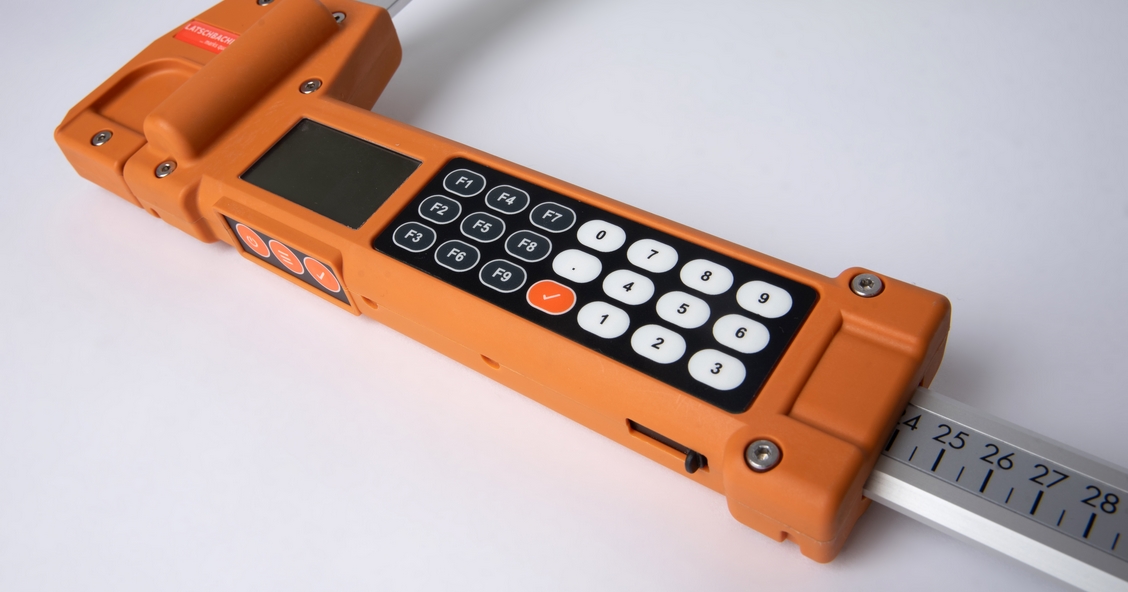
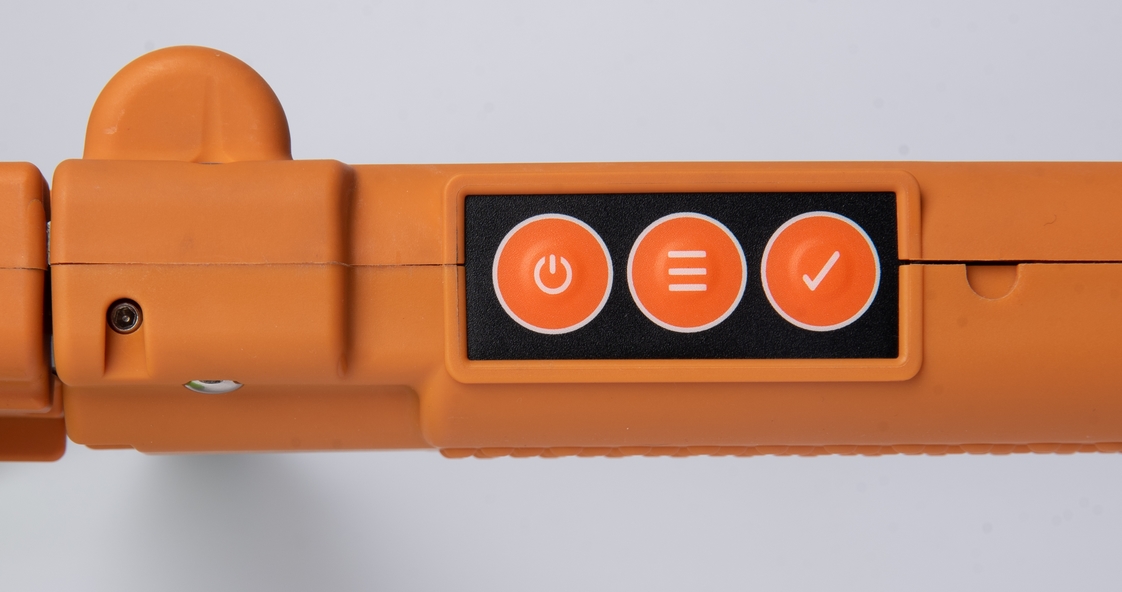
Einzigartige Bedienung. Übersichtliche Eingabe. Einfache Handhabung. Die meisten elektronischen Messkluppen sind auf Grund zu weniger Tasten kompliziert zu bedienen. Wir gehen einen völlig neuen Weg. Die Funktionstasten F1 bis F9 können für verschiedene Sortimente frei belegt werden. Mit einem Tastendruck ist die Kombination aus Holzart und Qualität festgelegt. Ein kompletter Zahlenblock erleichtert die rasche Erfassung der Länge. Der Durchmesser wird durch die Messung ermittelt.
ENGLISH: The perfect synergy of software and hardware
The coordinated overall system consisting of our high-quality measuring clamp and the powerful ‘Global Log Management’ app. The recorded measurement data is automatically displayed on our Global Log Management app via Bluetooth. The configuration of the button assignment on the MKE4 measuring clamp is also controlled via the app. Furthermore, the date, time and GPS data of the recording are automatically saved. The latter also enables the measured timber to be displayed on a map. In addition, photos of the trunk and log pile can also be stored. The data can be output in Excel or PDF format, including a share function.
The operating concept
Unique operation. Clear input. Easy handling. Most electronic measuring calipers are complicated to operate due to the lack of buttons. We are taking a completely new approach. The function keys F1 to F9 can be freely assigned to different product ranges. The combination of wood type and quality is determined at the touch of a button. A complete numeric keypad facilitates quick length entry. The diameter is determined by measurement.
Download Global Log Management (GLM) for ANDROID
Die MKE4 in der Praxis
Latschbacher - All-In-One
FAQ - Häufig gestellte Fragen
DEUTSCH
Kann die Kluppe eigenständig (StandAllone) verwendet werden?
Nein. Die Kluppe ist ein Messinstrument, das die Daten an ein Gerät mit einem Programm (App) überträgt.
Was braucht man zusätzlich zur Kluppe?
Für die Verwendung der Kluppe wird eine der folgenden Apps benötigt:
- Latschbacher GLM (Global Logs Management) - Kostenfrei für Kluppenbenutzer
- Latschbacher Mobile Rundholz NG (690 EUR)
- Latschbacher Stehendvermessung Schweiz (690 EUR) - nur für Kunden aus der Schweiz
- Kundenspezifische Apps: Das Schnittstellenprotokoll der Bluetooth-Kommunikation der Kluppe wird offengelegt, so dass die Kluppe auch an andere kundenspezifische Softwareprodukte angebunden werden kann. Für die Unterstützung wenden Sie sich an einen Mitarbeiter von WinforstPro by Latschbacher.
Werden auf der Kluppe Daten gespeichert?
Nein. Daten werden nur gemessen und erfasst und an ein Gerät gesendet.
Welche Betriebssysteme werden unterstützt?
Das hängt von der verwendeten App ab. Die GLM-App ist für iOS und Android verfügbar. Mobile Rundholz NG gibt es nur für Android.
Welche Längen sind für die MKE4 verfügbar?
Die MKE4 gibt es nur in 80 cm. Dabei gibt es 2 Variationen der Messskala: CM-Messskala und Stufen-Messskala für die Stehendvermessung in der Schweiz.
In der Schweiz wird praktisch nur die Stufen-Skala verwendet (universell für Stehen- und Liegendvermessung einsetzbar), in allen anderen Ländern die CM-Skala.
Was ist der Unterschied zwischen GLM-App und Mobile Rund NG?
GLM-App
Mit der GLM App werden die Messdaten automatisch übernommen und übersichtlich dargestellt. Auch die Konfiguration der Tastenbelegungen auf der Kluppe wird über die App gesteuert. Damit erhält man ein abgestimmtes Gesamtsystem aus unserer hochwertigen Messkluppe und der leistungsfähigen App.
- Einfache Konfiguration der Messkluppe
- Automatisches Speichern der Vermessungsdaten
- Speichern der GPS-Position der Erfassung
- Speichern von Datum und Uhrzeit der Erfassung
- Ausgabe der Daten in Excel und PDF inkl. Share-Funktion
- Kartendarstellung der Erfassungsdaten
- Stamm- und Polterfotos
- Kommunikation mit GLM-Web
- Mengenermittlung nach Mittendurchmesser und Mengentabellen
Die GLM-App kann die Messdaten in Listen speichern, Kopfdaten zu den Listen eingeben und in das GLM-Web-Portal übertragen. Die Daten können in Excel und PDF ausgegeben werden.
Was kann die GLM-App ausdrücklich nicht:
- Rindenabzüge
- Stärkeklassen
- Polter und Lose
- Alle forstlichen Funktionen
Mobile Rundholz NG
Die App Mobile Rundholz NG ist eine umfassende Forst-App, die alle Vermessungsmethodenunterstützt. Damit können auch forstliche Parameter eingegeben werden:
- Rindenabzug
- Stärkeklassen
- Mengenumrechnungen
- Waldorte
- Polter und Lose
- Und vieles mehr
Wie wird die MKE4 konfiguriert?
Die Einstellungen für die MKE4 können im GLM-Webportal durchgeführt werden. Mit der GLM-App werden die Einstellungen vom Portal auf die MKE4 übertragen.
Was kann bei der MKE4 eingestellt werden?
Folgende Parameter können bei der MKE4 eingestellt werden:
- Holzarten
- Qualität
- Belegung der Funktionstasten 1 bis 9
- Display-Überschriften
- Messmethoden (kreuzweises Messen, Durchmesserrundung,…)
Welche Sprachen sind für die MKE4 verfügbar?
Es gibt keine Spracheinstellung in der MKE4, aber es können die Überschriften für "Holzart", "Qualität", "Länge" und" Durchmesser" definiert werden.
Die App GLM und das GLM-Webportal ist in mehreren Sprachen verfügbar, zB Deutsch, Englisch, Bulgarisch, Spanisch usw. Die Sprachen werden ständig erweitert.
Wie wird die MKE4 mit Bluetooth gekoppelt?
Die MKE4 wird über die Bluetooth-Einstellung des Gerätes (Android oder iOS) verbunden. Die effektive Kopplung erfolgt direkt beim Einschalten nach der Kluppe. Das kann bis zu 5 Sekunden dauern.
FAQ - Frequently Asked Questions
ENGLISH
Can the caliper be used independently (standalone)?
No. The caliper is a measuring instrument that transmits data to a device with a programme (app).
What else is needed in addition to the caliper?
One of the following apps is required to use the caliper:
- Latschbacher GLM (Global Logs Management) - Free of charge for caliper users
- Latschbacher Mobile Rundholz NG (690 EUR)
- Latschbacher Stehendvermessung Schweiz (690 EUR) - only for customers from Switzerland
- Customised apps: The interface protocol for the caliper bluetooth communication is disclosed so that the caliper can also be connected to other customised software products. For support, please contact a WinforstPro by Latschbacher employee.
Is data stored on the log scale?
No. Data is only measured and recorded and sent to a device.
Which operating systems are supported?
That depends on the app used. The GLM app is available for iOS and Android. Mobile Rundholz NG is only available for Android.
What lengths are available for the MKE4?
The MKE4 is only available in 80 cm. There are two variations of the measuring scale: CM measuring scale and step measuring scale for standing measurement in Switzerland.
In Switzerland, practically only the step scale is used (universally applicable for standing and lying measurement), while in all other countries the CM scale is used.
What is the difference between the GLM app and Mobile Rund NG?
GLM app
With the GLM app, the measurement data is automatically transferred and clearly displayed. The configuration of the button assignments on the caliper is also controlled via the app. This provides you with a coordinated overall system consisting of our high-quality measuring caliper and the powerful app.
- Simple configuration of the measuring caliper
- Automatic saving of measurement data
- Saving of the GPS position of the measurement
- Saving of the date and time of the measurement
- Output of data in Excel and PDF formats, including share function
- Map display of the recorded data
- Stump and log pile photos
- Communication with GLM Web
- Quantity determination based on mean diameter and quantity tables
The GLM app can save the measurement data in lists, enter header data for the lists and transfer it to the GLM web portal. The data can be output in Excel and PDF.
What the GLM app cannot do:
- Bark deductions
- Thickness classes
- Stacks and lots
- All forestry functions
Mobile Rundholz NG
The Mobile Rundholz NG app is a comprehensive forestry app that supports all measurement methods. It can also be used to enter forestry parameters:
- Bark deduction
- Strength classes
- Quantity conversions
- Forest locations
- Stacks and lots
- And much more
How is the MKE4 configured?
The settings for the MKE4 can be configured in the GLM web portal. The GLM app transfers the settings from the portal to the MKE4.
What can be set on the MKE4?
The following parameters can be set on the MKE4:
- Wood types
- Quality
- Assignment of function keys 1 to 9
- Display headings
- Measuring methods (cross measurement, diameter rounding, etc.)
Which languages are available for the MKE4?
There is no language setting in the MKE4, but the headings for ‘wood type’, ‘quality’, “length” and ‘diameter’ can be defined.
The GLM app and the GLM web portal are available in several languages, e.g. German, English, Bulgarian, Spanish, etc. The languages are constantly being expanded.
How is the MKE4 paired with Bluetooth?
The MKE4 is connected via the Bluetooth settings of the device (Android or iOS). Effective pairing takes place directly when the clamp is switched on. This can take up to 5 seconds.